A tiny Macintosh, one brick at a time
How a Raspberry Pi, a 2.2-inch screen and a box of Lego became a pocket Macintosh that boots real Mac OS 7.6.1 — and reads the modern web.
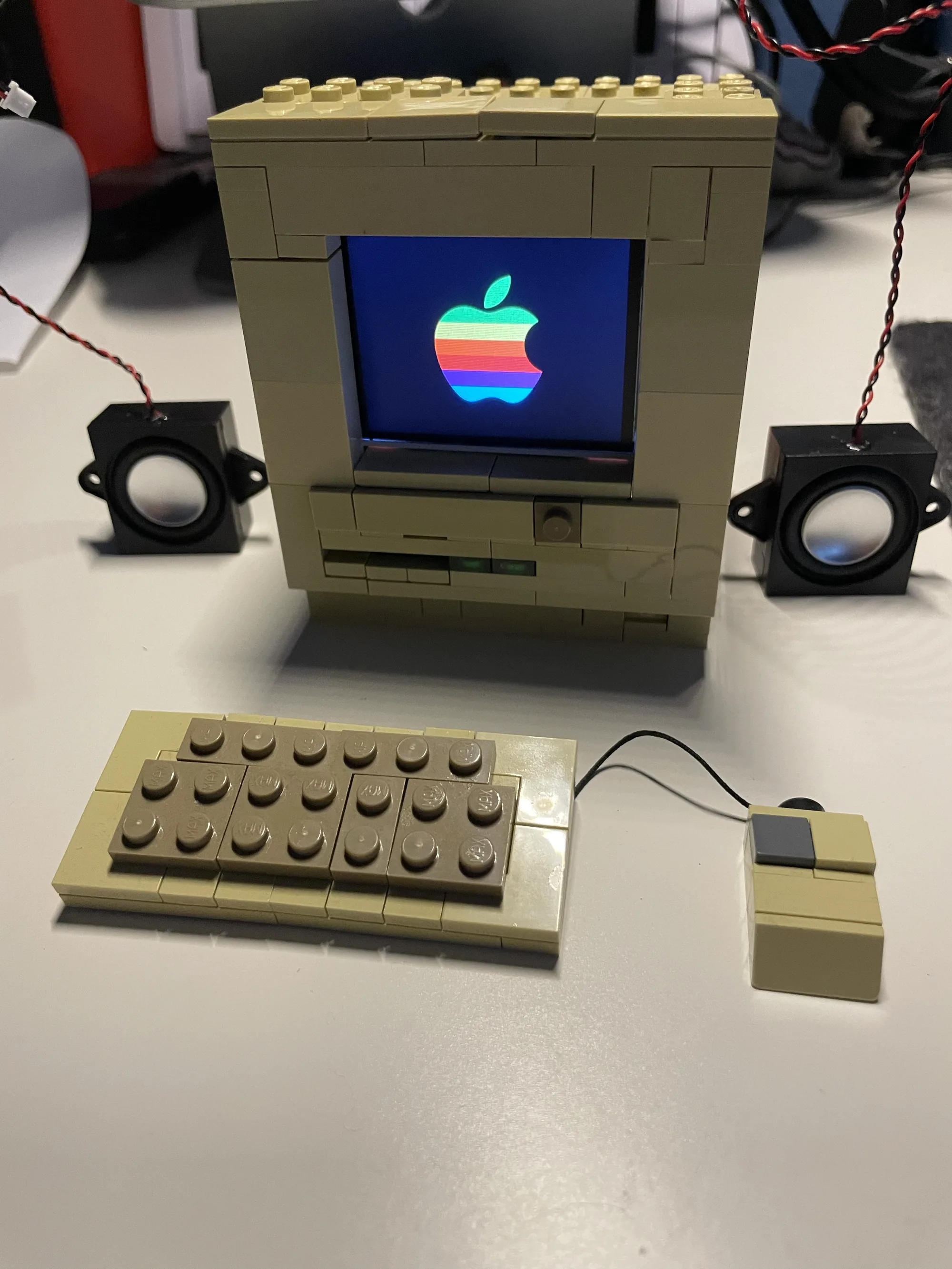
The idea was equal parts nostalgia and silliness: build a micro Macintosh — the pre-OS X kind, all menu bars and pixel fonts — small enough to live inside a Lego case. A Raspberry Pi for the brains, a little colour screen for the face, and, eventually, a genuine System-7 emulator behind the glass. This is how it came together.
The shape of the plan was simple: drive a small display from the Pi, get a convincing Classic-Mac look on it, then run a real 68k emulator and mirror its picture onto the panel — all wrapped in a cream-coloured brick shell. The fun, as always, was in the details.
A faster brain
The first attempt ran on a Raspberry Pi Zero W. It cheerfully drove the little display and a hand-drawn Classic-Mac screensaver — but the moment the goal became a real emulator, the single-core Zero W was obviously going to crawl. 68k emulation with no hardware help wants more cores.
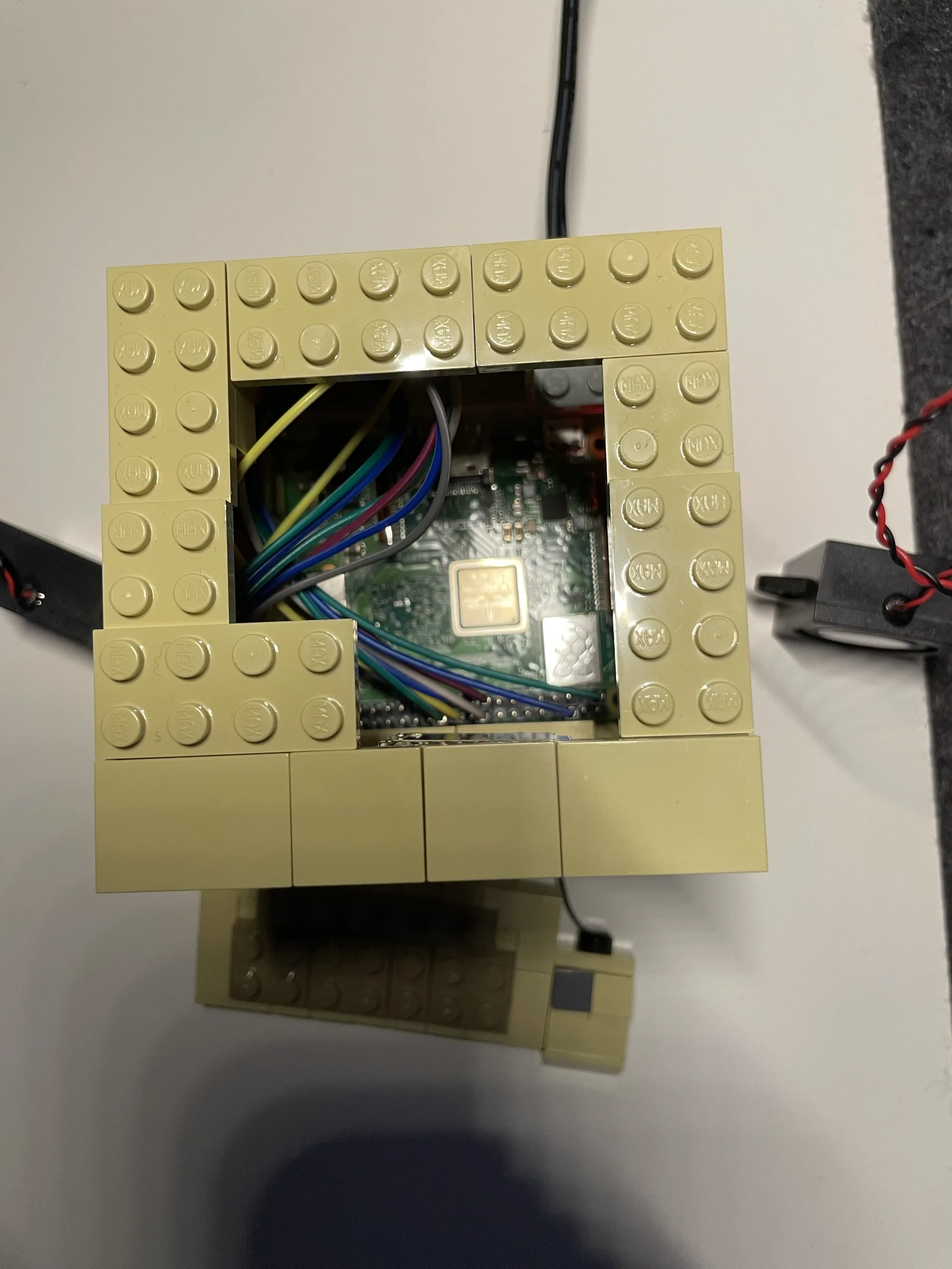
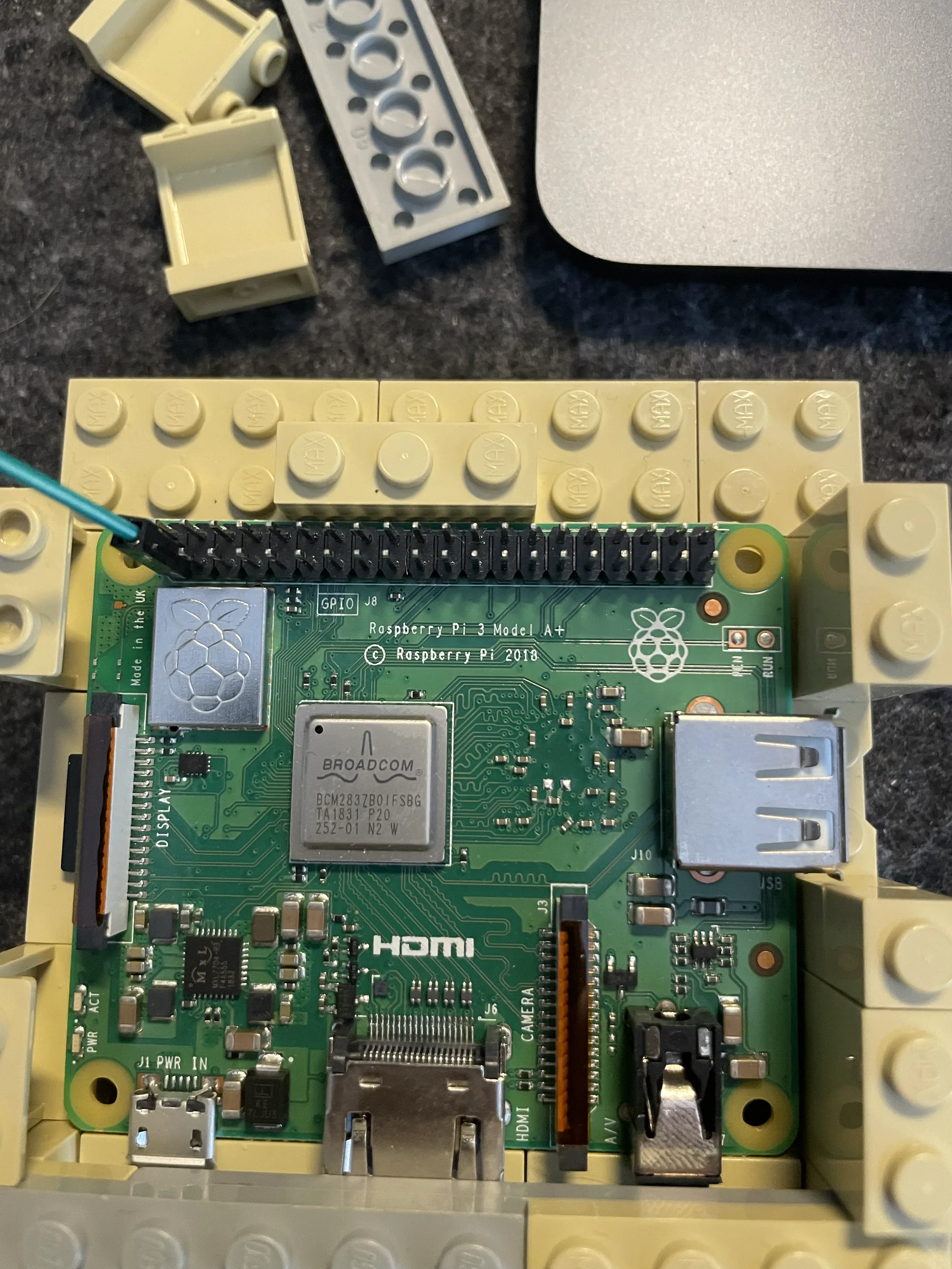
So the project moved to a Raspberry Pi 3A+ — quad-core, same tiny footprint. And here's the lovely part: Raspberry Pi SD cards are portable across models. Pop the card out of the Zero W, slot it into the 3A+, power on — it boots straight up and now uses all four cores. No reinstall, no reconfiguration. The whole software stack just came along for the ride.
How it actually works
The screen is a 2.2-inch ILI9341 panel wired over SPI and driven from Python. That's perfect for a static Mac desktop, but it raises a question: how do you get a whole emulator onto a screen that has no normal video output? The emulator can't draw to SPI directly, and a modern Pi runs the new KMS graphics stack — there's no legacy framebuffer to hijack the way the old Pi-handheld projects do.
The answer is a little relay. Basilisk II renders into a headless X server (Xvfb) — a screen that exists only in memory. A small Python loop grabs that screen, scales it to 320×240, and pushes it to the panel. Meanwhile a VNC server shares the same headless screen, so the Mac can be driven from a laptop (the Pi has no keyboard or mouse of its own). The chain, end to end:
Basilisk II → Xvfb (virtual screen) → capture & scale → SPI panel; VNC for the keyboard and mouse.
A systemd service ties the whole stack together and brings it up on boot, so the Lego box behaves like an appliance: give it power, wait a minute, get a Mac.
Bringing up Mac OS 7.6.1
Basilisk II isn't in the package repos, so it's built from source — the maintained kanjitalk755 fork, with the SDL2 backend and, since there's no JIT for ARM, a pure interpreter core. Feed it a 1 MB Quadra ROM and a freshly-formatted blank disk image, point it at the 7.6.1 install CD, and it boots into the installer like it's 1997.
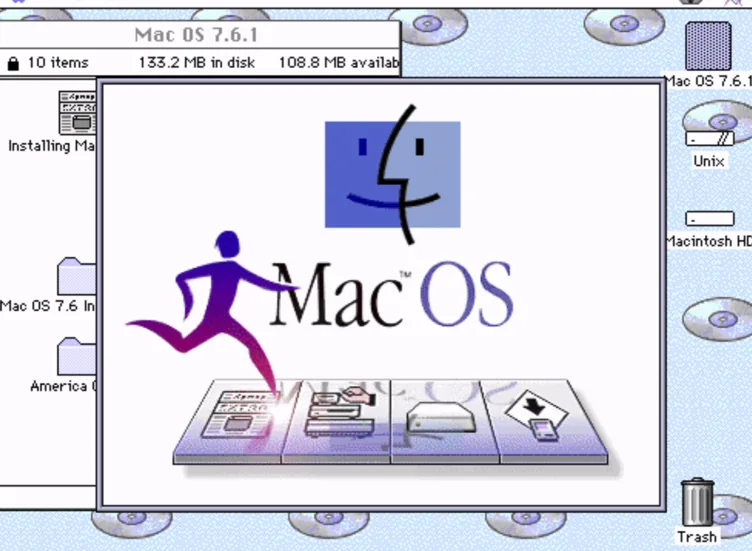
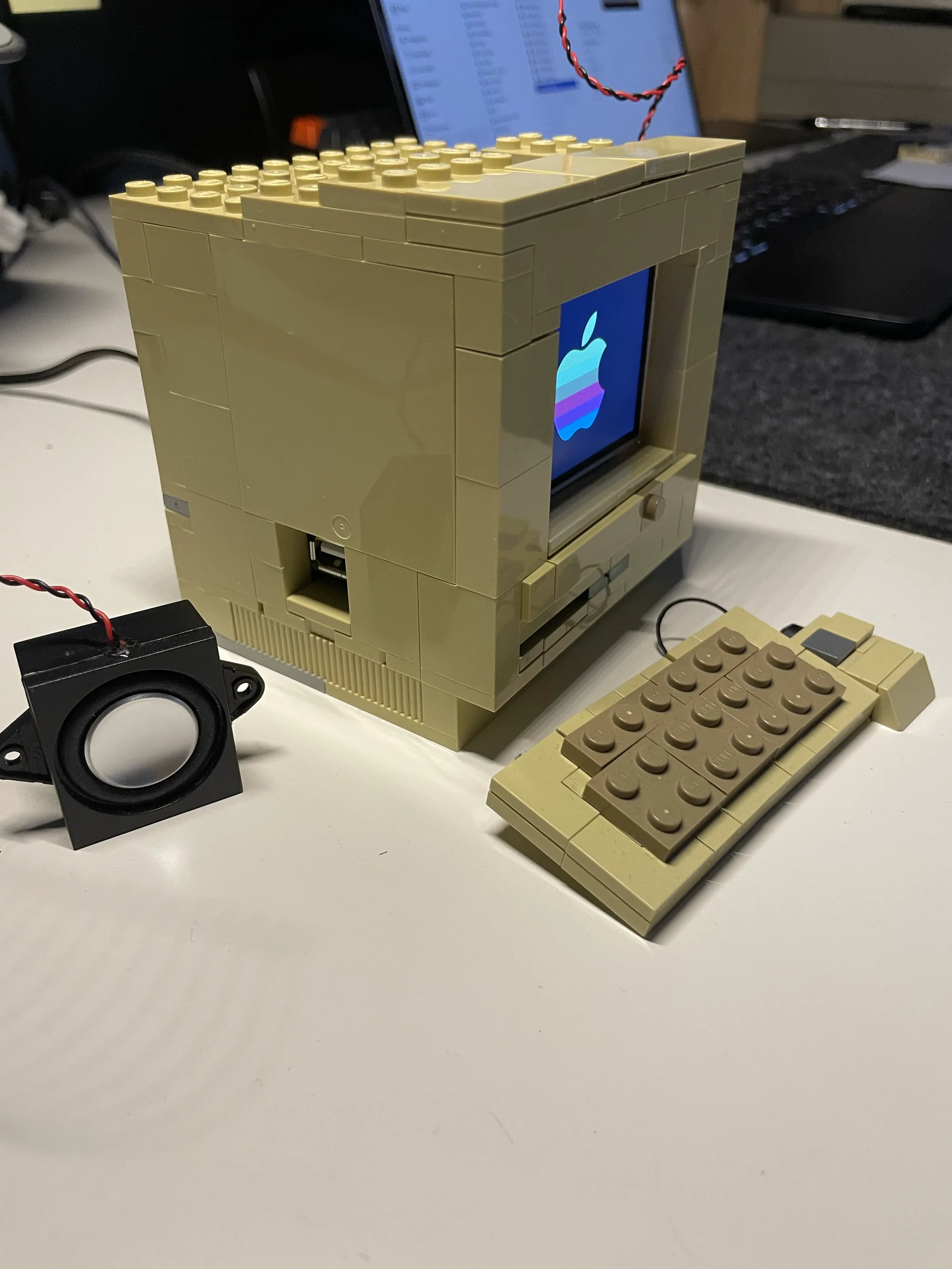
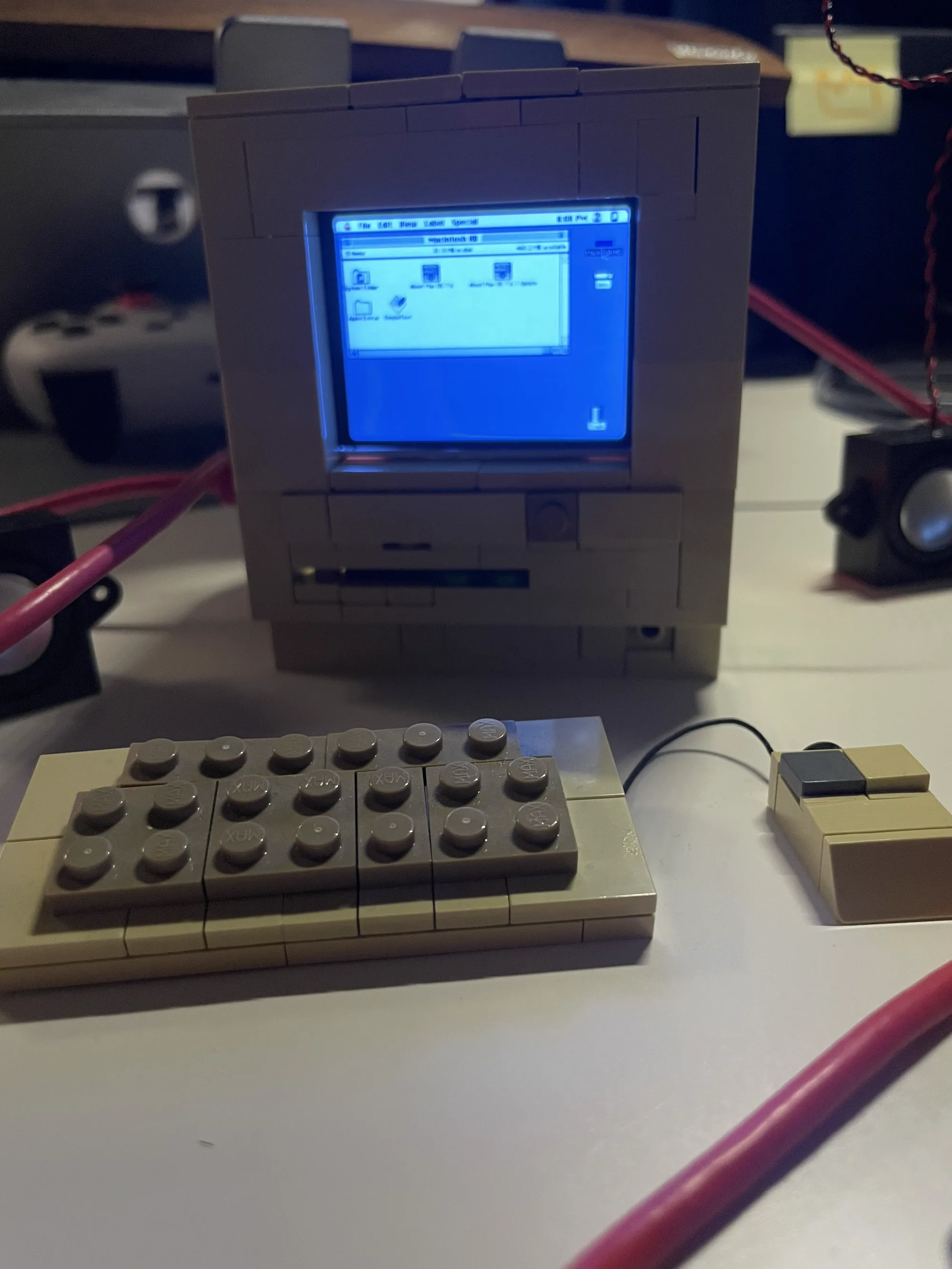
Install onto the disk, switch the boot device from CD to hard disk, and the next start goes the whole way: the chime, the smiling Mac, and then the grey Finder desktop — now mirrored onto the actual 2.2-inch panel in the Lego case.
Getting it online
A Mac that can't get on the net is only half the fun. Networking runs through SLIRP — user-mode NAT, no bridges or root needed: the guest gets a private 10.0.2.x address and the Pi quietly forwards its traffic out over Wi-Fi. One gotcha cost a while — the built-in DNS relay simply wouldn't resolve names. Pointing the guest's name server straight at 8.8.8.8 fixed it instantly.
Then a period browser: iCab 2.9.9, the last version that runs on a 68k System 7. But the modern web is a wall of HTTPS and JavaScript that a 1997 browser can't even begin to climb. The bridge is FrogFind — a wonderfully on-theme service that fetches modern pages and strips them down to plain, ancient HTML over plain HTTP. Type a search, get readable results, click through. The little Mac is reading the web.
Taming the CPU
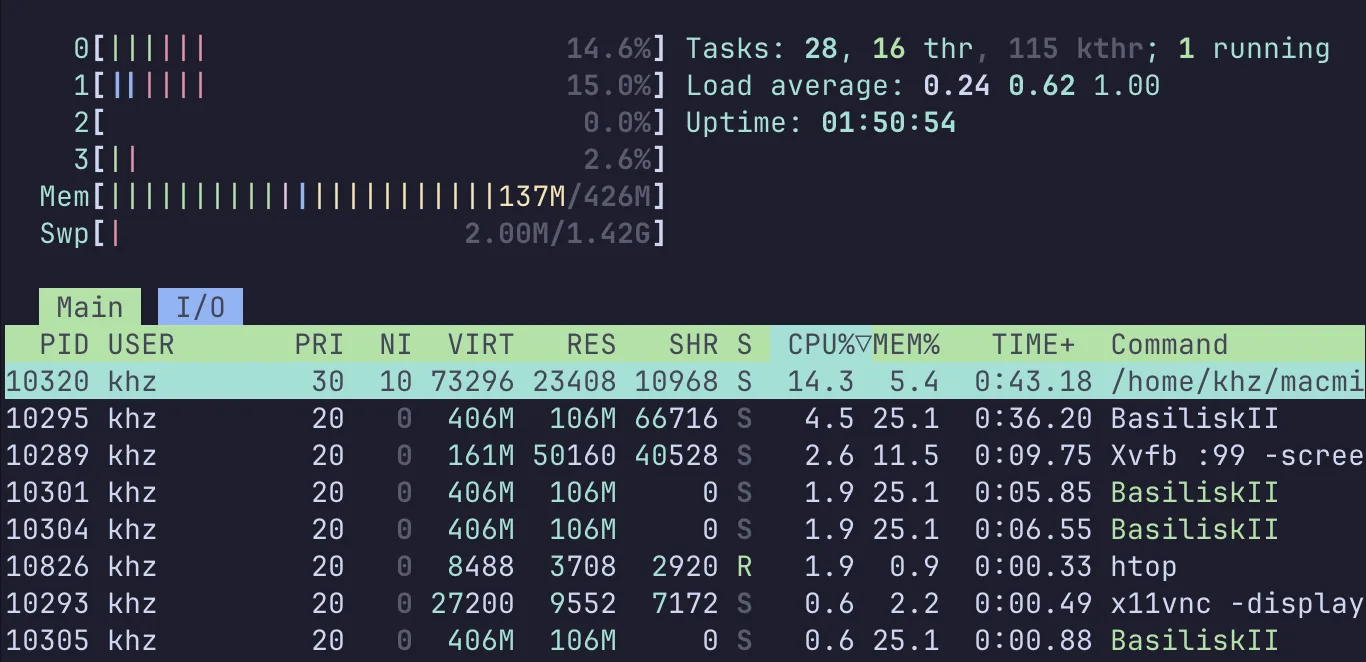
The first version of the mirror was brute force: grab the entire screen and shove every frame down the slow 4 MHz SPI bus, over and over, forever. It worked — and pinned a whole core at 100%.
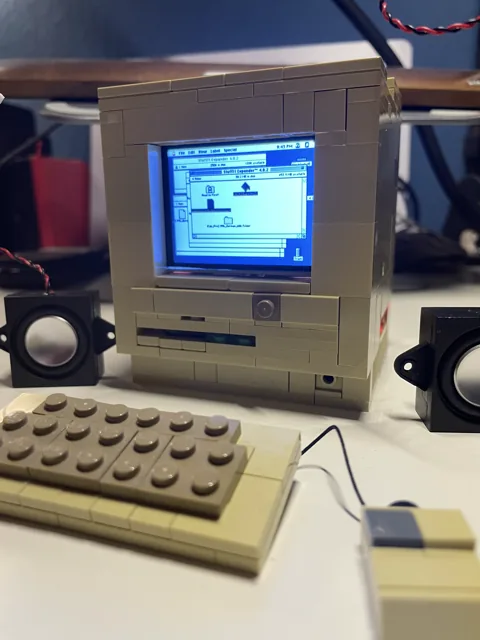
The fix was two small ideas. Capture the screen in-process instead of spawning a tool for every frame, and — the big one — only push a frame to the panel when it has actually changed. A static Mac desktop now costs almost nothing; that core dropped from 100% to about 14%. What remains is the emulator itself: classic Mac OS never really idles the CPU, so faithfully interpreting its busy-loop is just the price of admission.
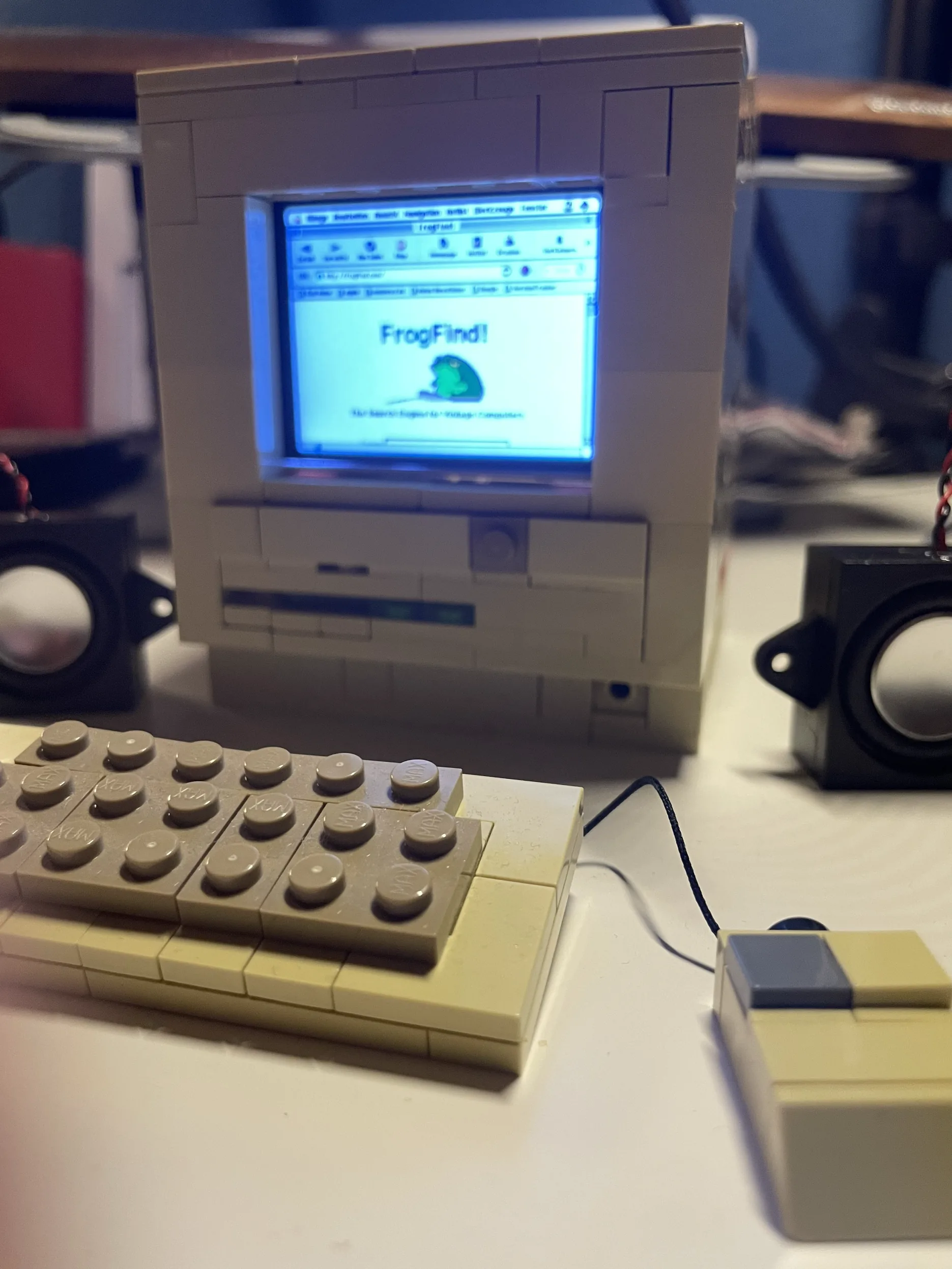
It boots itself
The last touch made it a real object rather than a demo. A systemd service starts the entire stack on power-up and even auto-dismisses the “you didn't shut down properly” dialog that classic Mac OS throws after a hard power-off — a headless appliance has no keyboard to press Return. Pull the power, plug it back in, and a minute later the Finder is just there. Reboot-tested, hands-off.
From a box of bricks and a credit-card computer to a Macintosh that boots, runs and browses. Not bad for a weekend.
Tech stack
- Computer — Raspberry Pi 3A+ · quad-core A53 · 512 MB · Raspberry Pi OS
- Display — 2.2″ ILI9341 TFT · 320×240 · SPI
- Emulator — Basilisk II (68k Quadra) · SLIRP NAT networking
- Guest OS — Mac OS 7.6.1
- Mac software — iCab 2.9.9 (browser) · StuffIt Expander · FrogFind
- Plumbing — Xvfb · x11vnc · Python (luma.lcd, Pillow) · systemd
- Case — Lego (platinum)
What's next: a tiny retro-web proxy
FrogFind is great, but it's someone else's service. The next experiment is to run our own minimal web proxy, right on the Pi — a little Node.js daemon the Mac points at. The browser asks for something like http://10.0.2.2:3000/?url=https://de.wikipedia.org; the proxy — a modern system, so HTTPS is no problem — fetches the real page, then puts it through a strict slimming pipeline:
A readability pass (à la Mozilla Readability) isolates the actual article and throws the page furniture away. Everything that would choke a 68k browser is stripped: no JavaScript, no CSS, no trackers or cookie walls. What's left is poured into a bare HTML 3.2 skeleton — just <h1>, <p>, <ul>, <a> — that iCab renders happily. It can even reflow text to the panel's width so there's no horizontal scrolling on the tiny screen.
The constraints keep it honest on a 512 MB board: no headless browser (Puppeteer would bring the Pi to its knees), no Docker, a memory-frugal parser like cheerio or linkedom instead of the heavy jsdom, and async I/O so network waits never block the emulator. It runs as a low-priority (Nice=10) systemd service, so Basilisk always gets the CPU first. A self-hosted little gateway between two internet eras — which feels like exactly the right next brick to add.
And beyond that, the family grows: a bigger Mac on a proper DSI screen, a RetroPie gaming sibling, and a real C64 case driven by its original keyboard. But those are other build logs.